
If you’re serious about streaming — whether it’s on Twitch, YouTube Live, hosting video calls, online classes, or creating professional content — choosing the best webcam for streaming is essential. A good webcam ensures that your video looks clear, professional, and engaging. The right choice can make a noticeable difference in how your audience perceives you and your content.
This guide will help you understand what to look for in a webcam, explain key features, and highlight the best options available in 2025.
Why a Good Webcam Matters
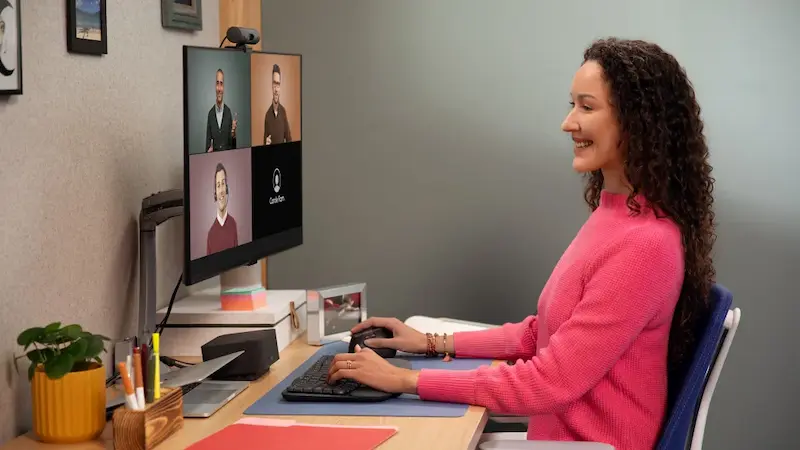
Your webcam is essentially your “on-screen presence.” A high-quality camera produces a sharp, well-lit, and natural-looking image. On the other hand, a poor webcam can make your video look pixelated, blurry, or washed out, which can distract viewers and reduce engagement. Investing in a reliable webcam is one of the simplest ways to improve your streaming setup.
Key Features to Consider
Before picking a webcam, you need to consider several factors that directly affect the quality of your stream:
1. Resolution
Resolution determines how detailed your video looks.
- 1080p (Full HD): Standard for most streamers. Provides clear, sharp video and works well with most streaming platforms.
- 4K (Ultra HD): Offers extremely detailed video and professional-grade quality. However, 4K requires more processing power and a faster internet connection.
2. Frame Rate
Frame rate measures how many frames per second (fps) your webcam captures.
- 60 fps: Produces smooth motion and is ideal for fast-paced content such as gaming or action streams.
- 30 fps: Works well for talk shows, tutorials, or casual streaming where motion is limited.
3. Low-Light Performance
Not every streaming space has perfect lighting. Webcams with strong low-light performance can brighten your image, reduce noise, and provide a more professional look without additional lighting equipment.
4. Autofocus and Field of View
- Autofocus: Keeps your image sharp even when you move.
- Field of View (FOV): Determines how much of your surroundings the camera captures. A wider FOV is useful for showing your setup or multiple people, while a narrower FOV keeps the focus on you.
5. Additional Features
Some webcams include built-in microphones, HDR (High Dynamic Range) for better color, AI tracking, or background blur. While these features are convenient, many streamers pair a dedicated microphone for optimal audio quality.
Top Webcams for Streaming in 2025
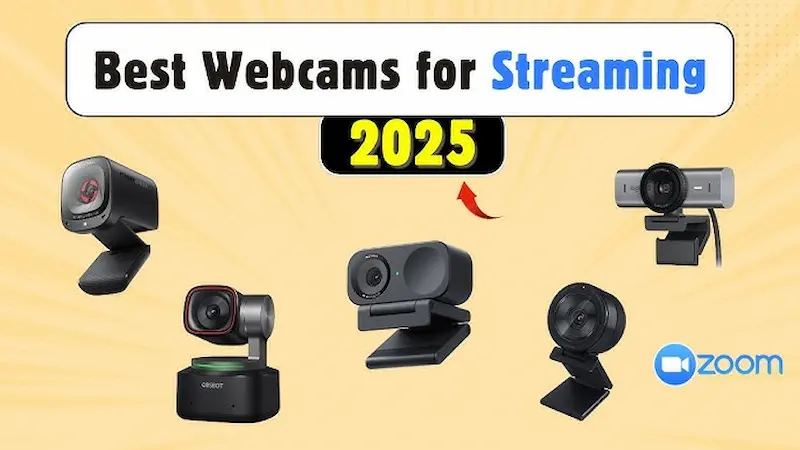
Here are some of the best webcams available for different needs and budgets:
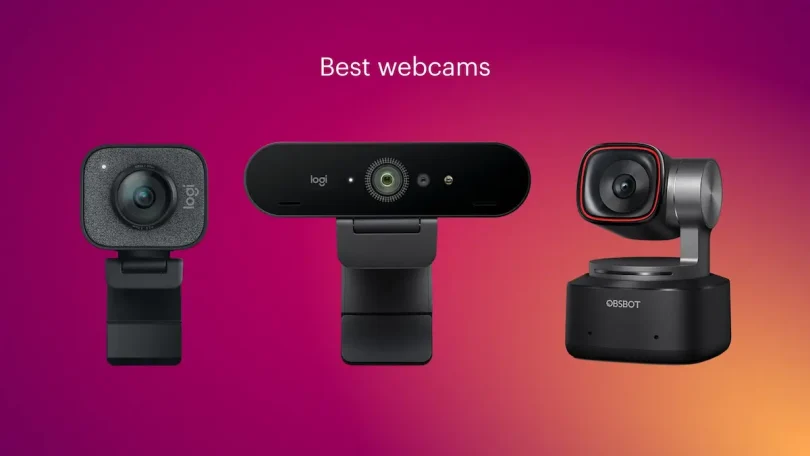
1. Logitech Brio Ultra HD 4K
- Resolution: 4K Ultra HD at 30 fps, 1080p at 60 fps
- Strengths: Exceptional image clarity, HDR support, excellent low-light performance, adjustable field of view
- Best For: Professional streamers or content creators who want high-quality, future-proof video
2. Elgato Facecam
- Resolution: 1080p at 60 fps
- Strengths: Smooth motion, customizable settings through software, optimized for streaming
- Best For: Streamers who want high-quality Full HD video with control over visual settings
3. Razer Kiyo Pro
- Resolution: 1080p at 60 fps with HDR
- Strengths: Adaptive lighting, wide adjustable FOV, excellent low-light performance
- Best For: Streamers who often broadcast in dimly lit rooms or without professional lighting
4. OBSBOT Tiny 2
- Resolution: 4K at 30 fps
- Strengths: AI tracking, gesture control, reliable image quality
- Best For: Streamers who move around a lot and want automatic tracking without manual adjustments
5. Logitech C920x HD Pro
- Resolution: 1080p at 30 fps
- Strengths: Reliable autofocus, consistent image quality, affordable
- Best For: Beginners or casual streamers who need a dependable, budget-friendly option
You may also like to read this:
Best Gaming Mouse 2026 – Top Picks And Expert Reviews
Mechanical Keyboard Buying Guide: Tips For 2025
Top Headphones For PC Gaming – Best Gaming Headsets 2025
Essential PC Accessories For Better Performance And Comfort
Essential Monitor Setup Tips For Work, Study, And Gaming
Tips to Improve Your Streaming Video
Even the best webcam can benefit from a few additional adjustments:
- Lighting: Good lighting can dramatically improve video quality. Soft, diffuse light from a ring light or desk lamp works well.
- Microphone: While many webcams have built-in mics, a separate microphone provides much clearer, professional audio.
- Internet Speed: A fast and stable internet connection ensures smooth video streaming without lag or buffering.
Final Thoughts
Choosing the best webcam for streaming comes down to your goals, budget, and setup.
- For casual or beginner streamers, the Logitech C920x or Razer Kiyo Pro provides excellent quality without high costs.
- For professional streaming with high-resolution video and advanced features, the Logitech Brio or OBSBOT Tiny 2 are excellent investments.
Remember, your webcam is only one part of your streaming setup. Combining it with proper lighting, a quality microphone, and good internet will ensure your streams look and sound professional, engaging your audience and enhancing your online presence.
FAQs — Best Webcam for Streaming
1. What is the best webcam for streaming in 2025?
The best webcam depends on your budget and needs. For professional-quality streaming, the Logitech Brio Ultra HD 4K or OBSBOT Tiny 2 are excellent choices. For beginner or casual streaming, the Logitech C920x HD Pro or Razer Kiyo Pro offers reliable Full HD performance.
2. Do I need a 4K webcam for streaming?
Not necessarily. A 1080p webcam is sufficient for most streaming platforms and viewers. 4K webcams provide sharper images and more detail but require more bandwidth and may be overkill for casual streams.
3. What frame rate is best for streaming?
60 fps is ideal for gaming or fast-moving content.
30 fps works well for talk shows, tutorials, or slower-paced streams.
4. How important is low-light performance?
Very important if you stream in rooms without professional lighting. Webcams with good low-light performance can automatically adjust exposure, reduce noise, and make your video look clearer.
5. Can I use a webcam with my laptop or PC?
Yes, almost all modern webcams are plug-and-play via USB. High-end webcams may also offer software to customize settings for better image quality.